اشتراک گذاری
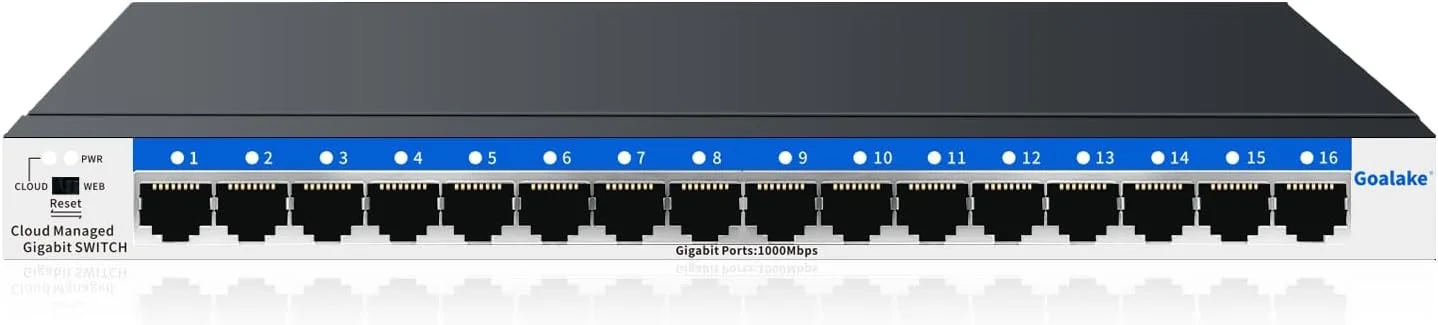
16 Port Gigabit Switch, Easy Smart Managed Ethernet Switch, Network Hub, Ethernet Splitter, Plug & Play, Fanless Metal Design, VLAN, Qos, Desktop or Wall Mount
- برند :سایر برند ها

ارسال تا 7 روز کاری(پس از دریافت در کشور مبدا)

اصالت کالا(100% ارجینال)

پشتیبانی 24 ساعته(7 روز هفته به صورت 24 ساعته)
در حال بروزرسانی قیمت
At Goalake, quality is our utmost priority. All our PoE switches undergo rigorous testing by renowned organizations like FCC and FCE. You can rely on our products to deliver solid, consistent performance.
We strive to provide you with affordable and reliable products as well as after-service. Any problem within the first year of purchase, simply contact our after-service, and we'll send you a brand-new replacement.
Reduce setup time and ongoing maintenance costs with our plug-and-play Cloud Managed Switch. You only need to spend the price of ordinary switches to purchase our switches with cloud management function.
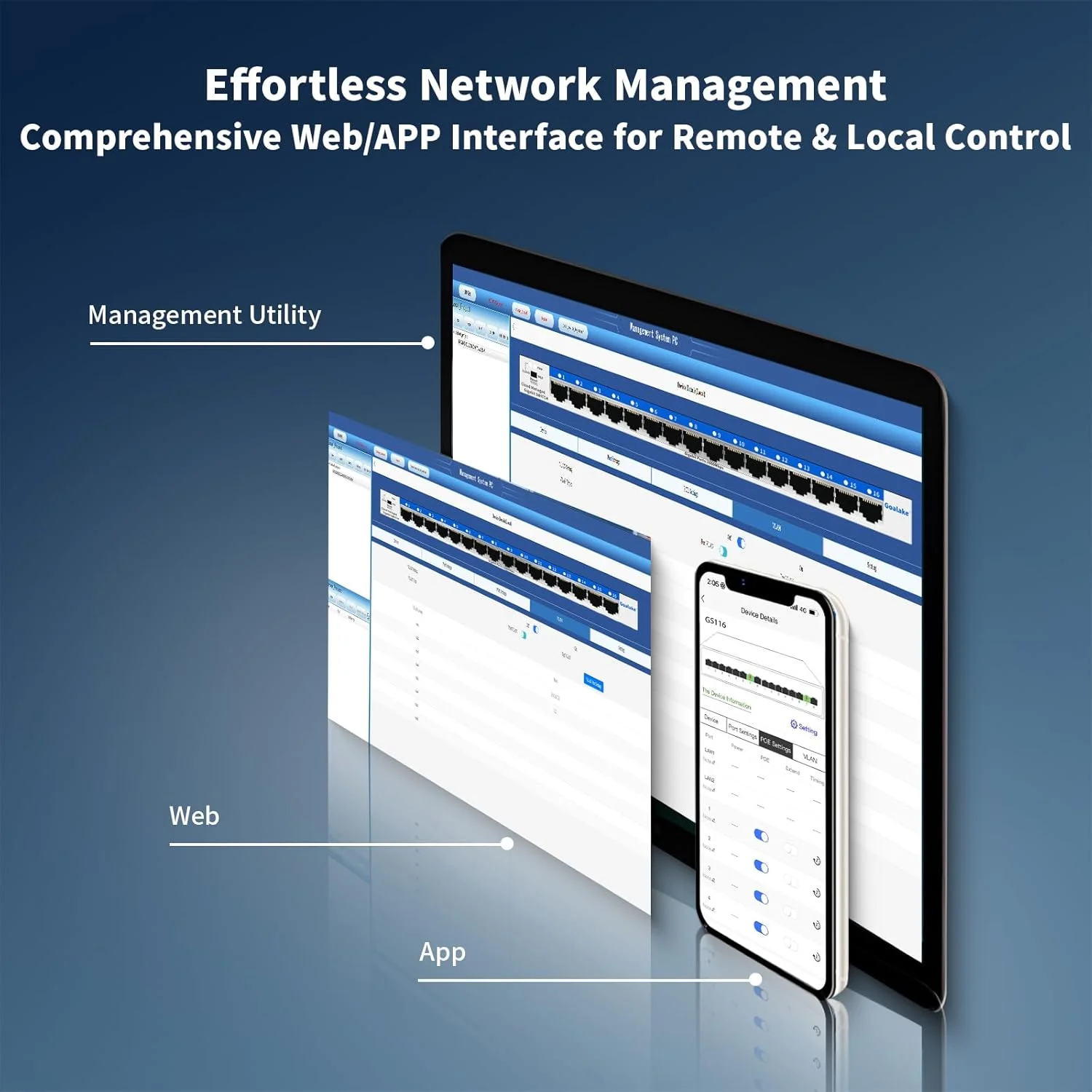
Goalake 16 ports managed switch through its web-based user interface or mobile App and free management utility, offers a variety of useful features, including network monitoring, traffic prioritization, and enhanced QoS.
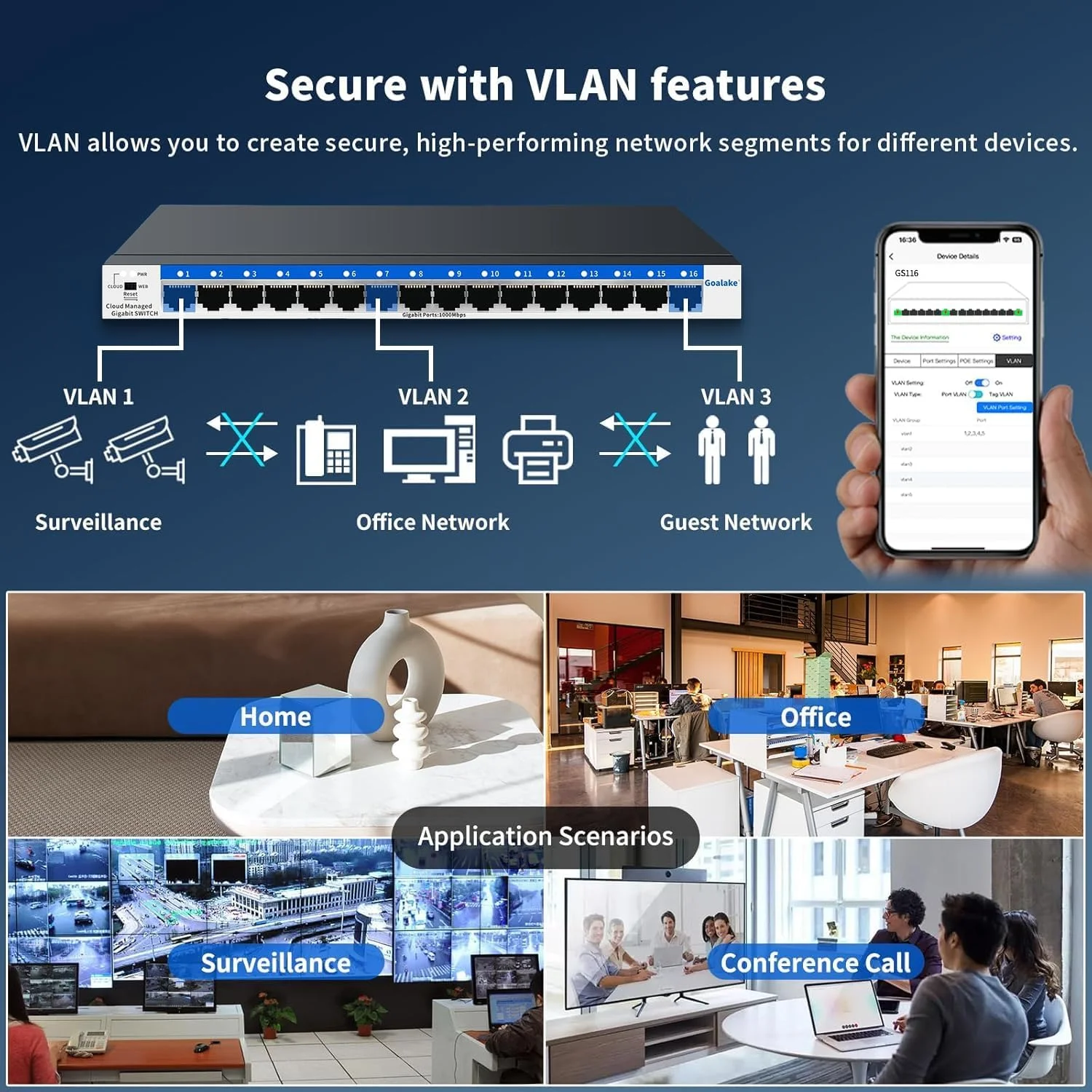
VLAN helps to build a network with better management and higher security.
Provide an intuitive visual interface. When remotely managing the switches, you can have a clearer understanding of the network status and device configuration, and quickly locate and solve problems that occur on site without having to visit the site in person.
Why need managed switch?
1.Can have a clearer understanding of the network status and device configuration, and quickly locate and solve problems that occur on site without having to visit the site in person.
2.Support WEB local management, many management methods to choose.
How to manage the switch ?
Open PC browser and enter the device's IP address to manage the switch. the default management IP is : 10.0.0.10, and the computer must be in the same network segment as the IP address. for more details, please check the instruction manual.
What’s the maximum throughput per port?
Gigabit Ethernet (1000Mbps) on all ports
Non-blocking switching – No bottleneck when all ports are active
محصولات مرتبط






 ایتا
ایتا
 واتساپ